
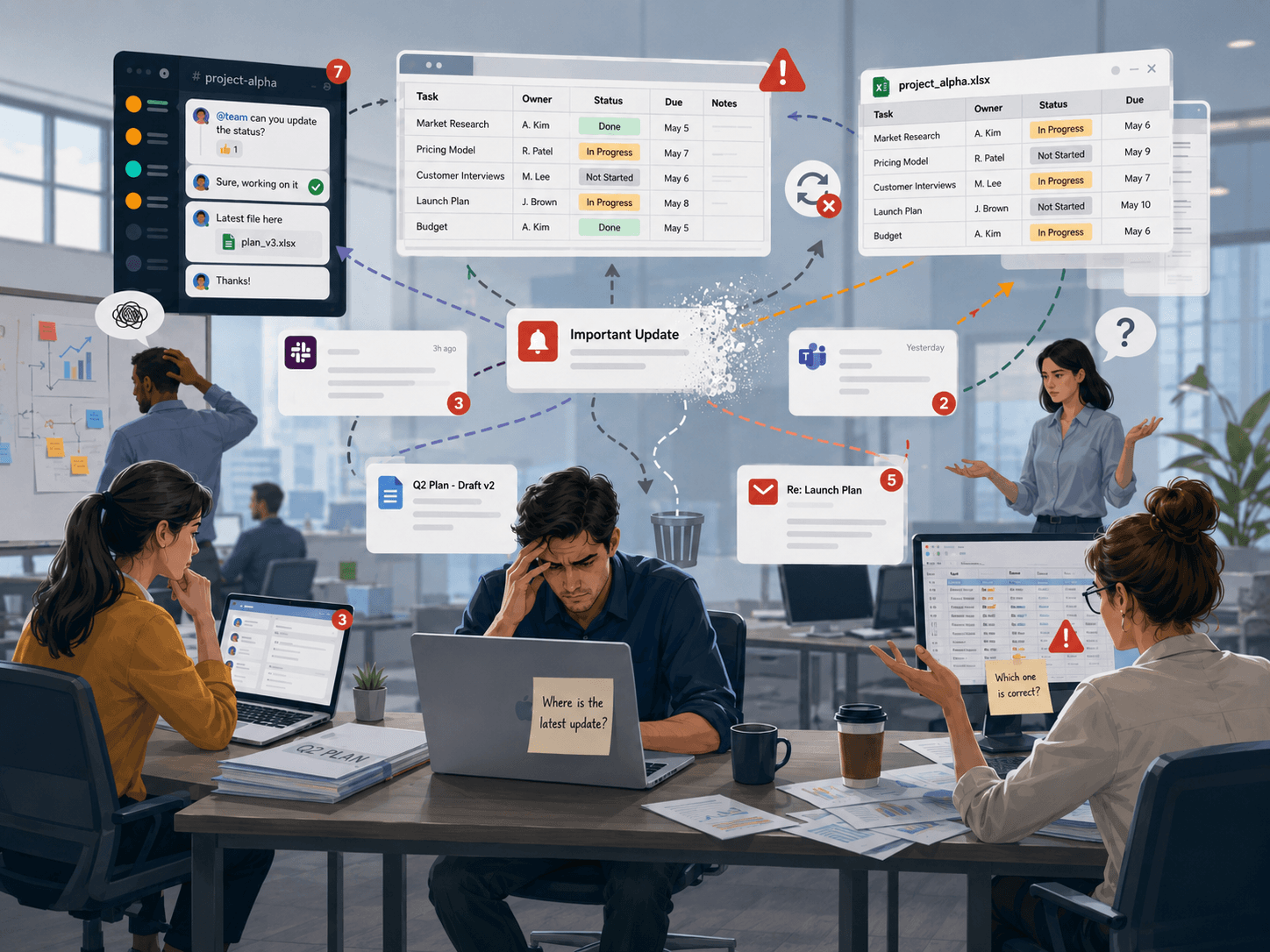
Updates lost across chats and sheets
Progress is reported in WhatsApp, email threads and ad-hoc spreadsheets. Nothing rolls up automatically into a single, current view of every project.
Yuyay Project Tracking turns scattered chats and one-off updates into a single roadmap calendar. The team reports progress through WhatsApp; supervisors ask the AI agent for status, next milestones and executive reports — on demand.
Customer updates land in different chats, drives and inboxes. The week ends and nobody is sure where each client really stands.
Progress is reported in WhatsApp, email threads and ad-hoc spreadsheets. Nothing rolls up automatically into a single, current view of every project.
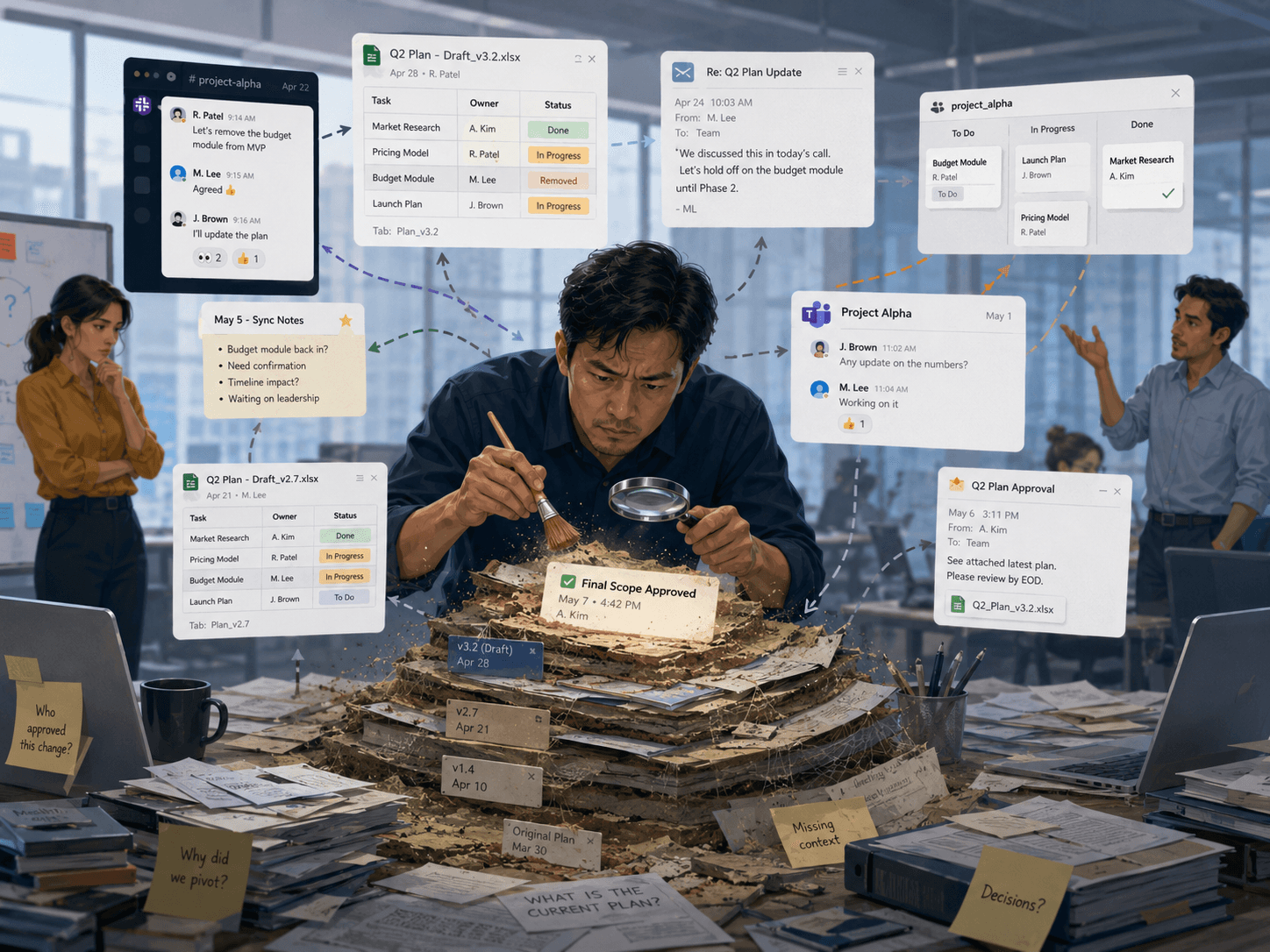
Leaders spend hours chasing "how is client X doing?". By the time the answer arrives, the next meeting is already starting.
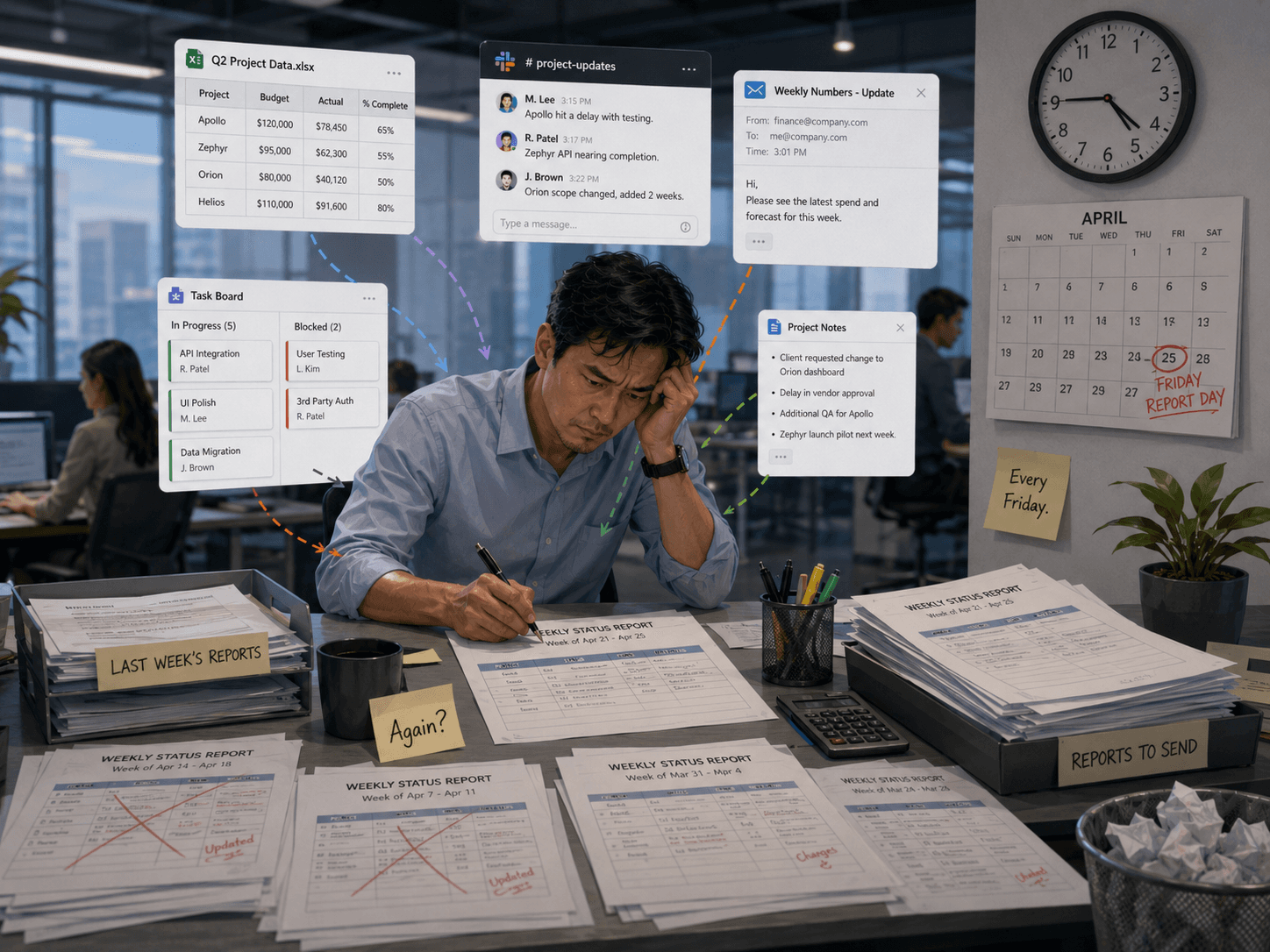
Weekly executive reports are stitched together manually — copy-paste, missed events, inconsistent metrics. Senior time goes to reporting instead of decisions.
A workspace that turns project status into a living calendar — fed by the channel the team already uses every day, and queryable by an AI agent.
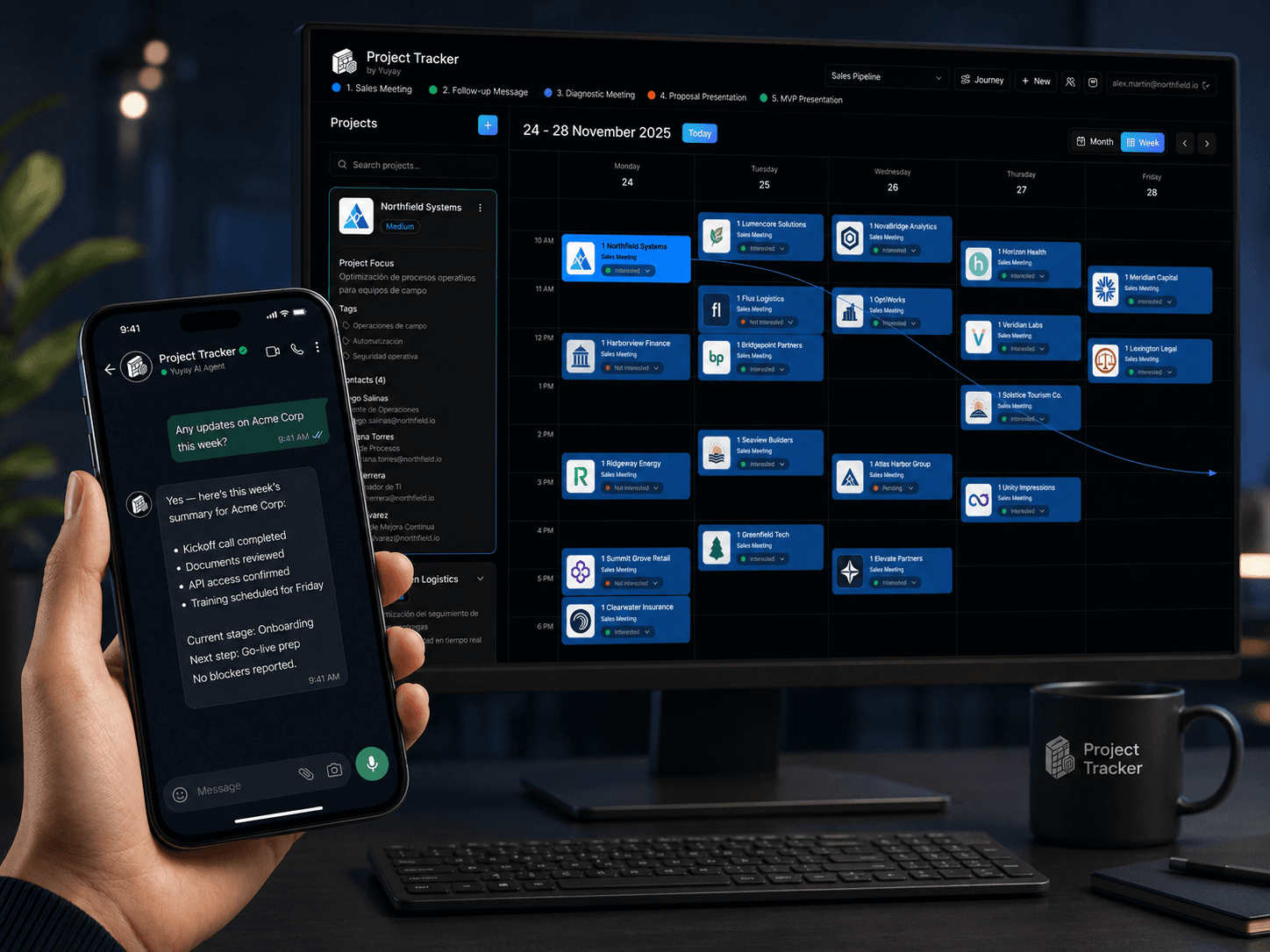
Project Tracking organizes every client into a roadmap calendar: priorities, focus, contacts, tags, journeys, stages and events live in one place. Teams update progress where they already work — WhatsApp — and the AI agent registers each update against the right project and stage.
Supervisors stop chasing updates. They ask the agent for the latest news, current stage of a client, period reports or the full pipeline — and the system answers from the same data the team operates on.
Send a message in natural language — "Acme moved to onboarding, next step is the kick-off on Tuesday" — and the agent classifies it, registers the event against the right journey and stage, and confirms back. Supervisors can ask the same agent for status, milestones, metrics and reports — anytime, from any device.
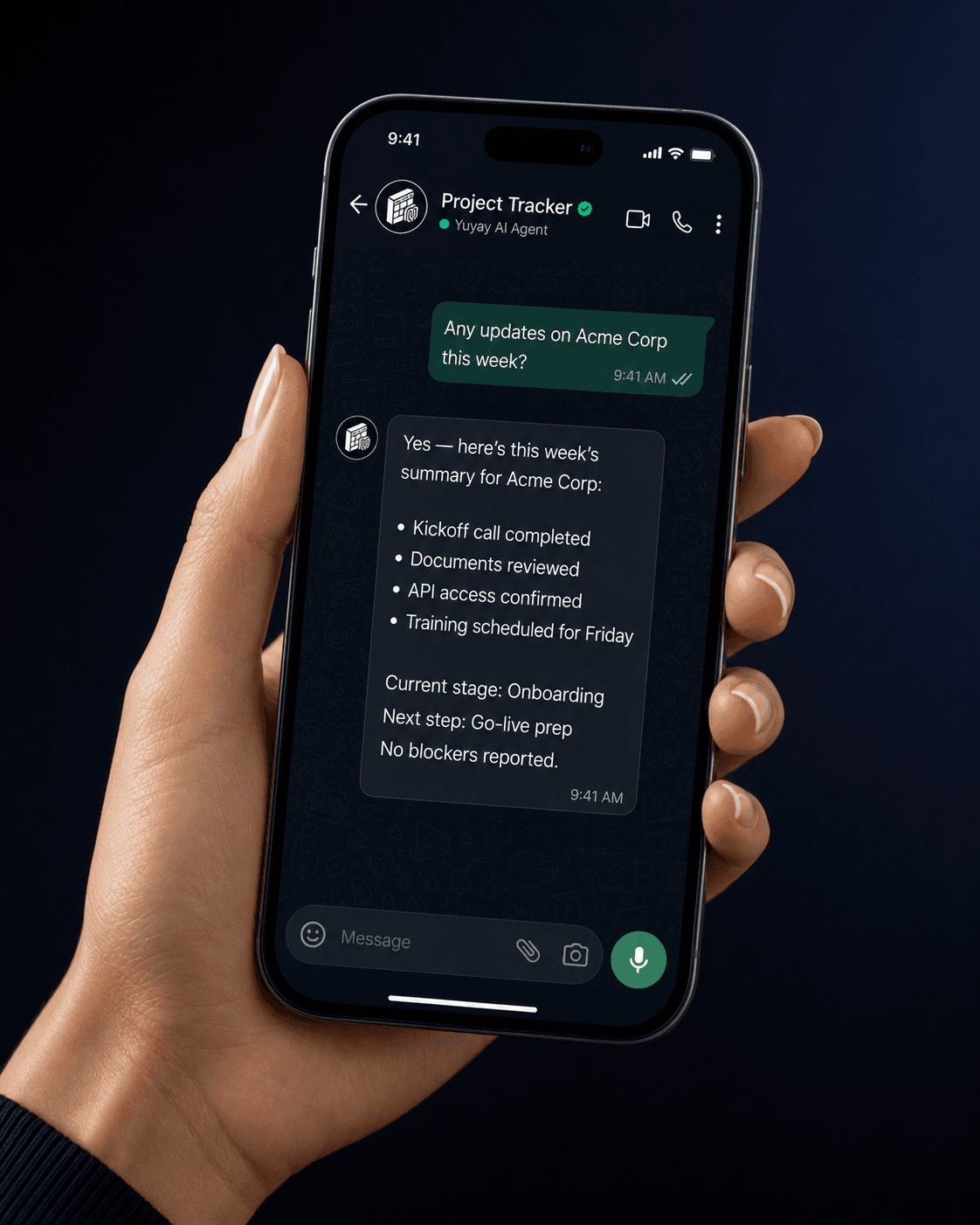
Not another Kanban — a roadmap calendar built around real client work, with WhatsApp and executive reports baked in.
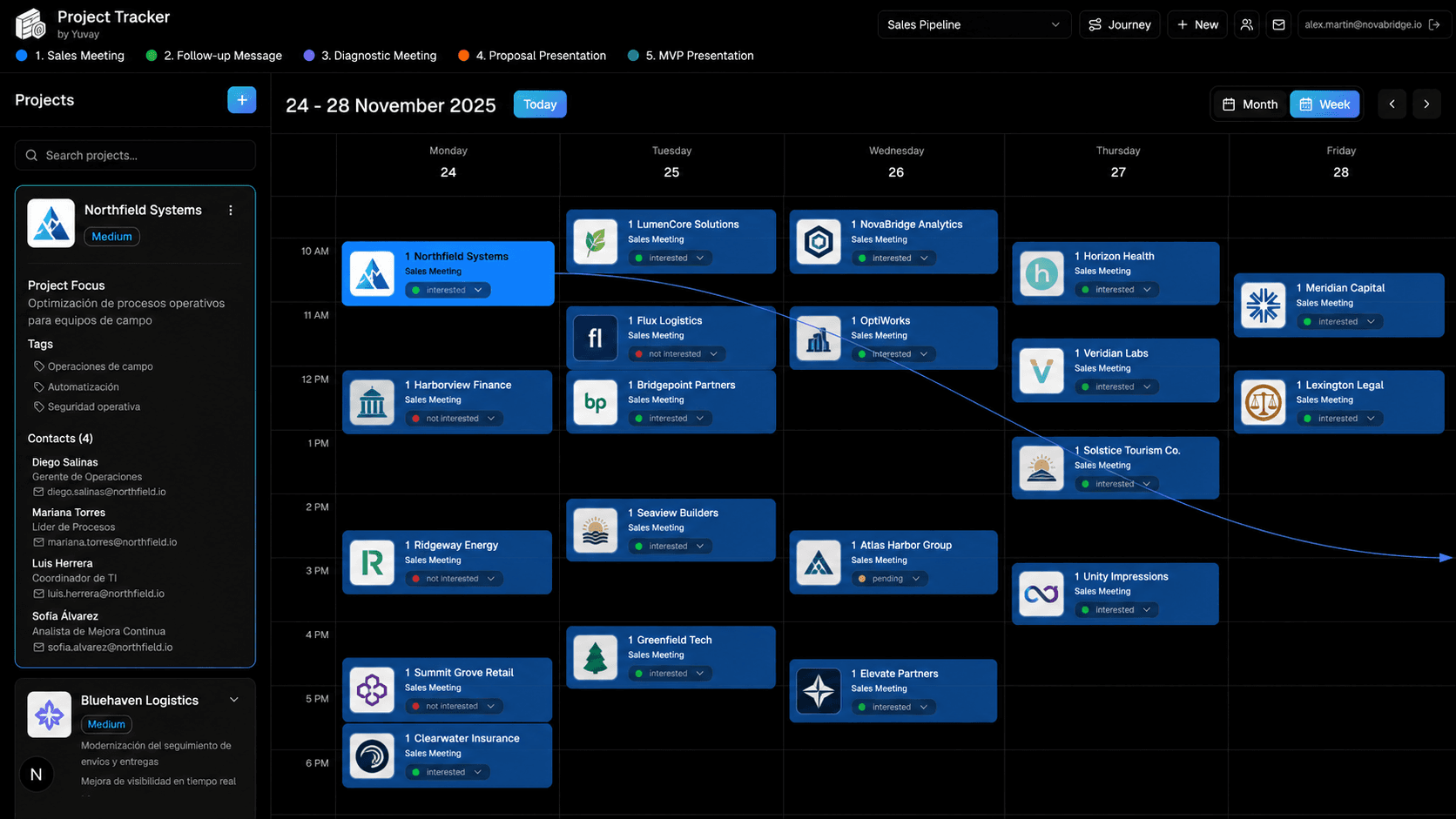
Plan and visualize project activity in monthly or weekly views — Monday to Friday, color-coded by stage. Drag and drop to reschedule, resize events to adjust duration, change status from the dropdown.
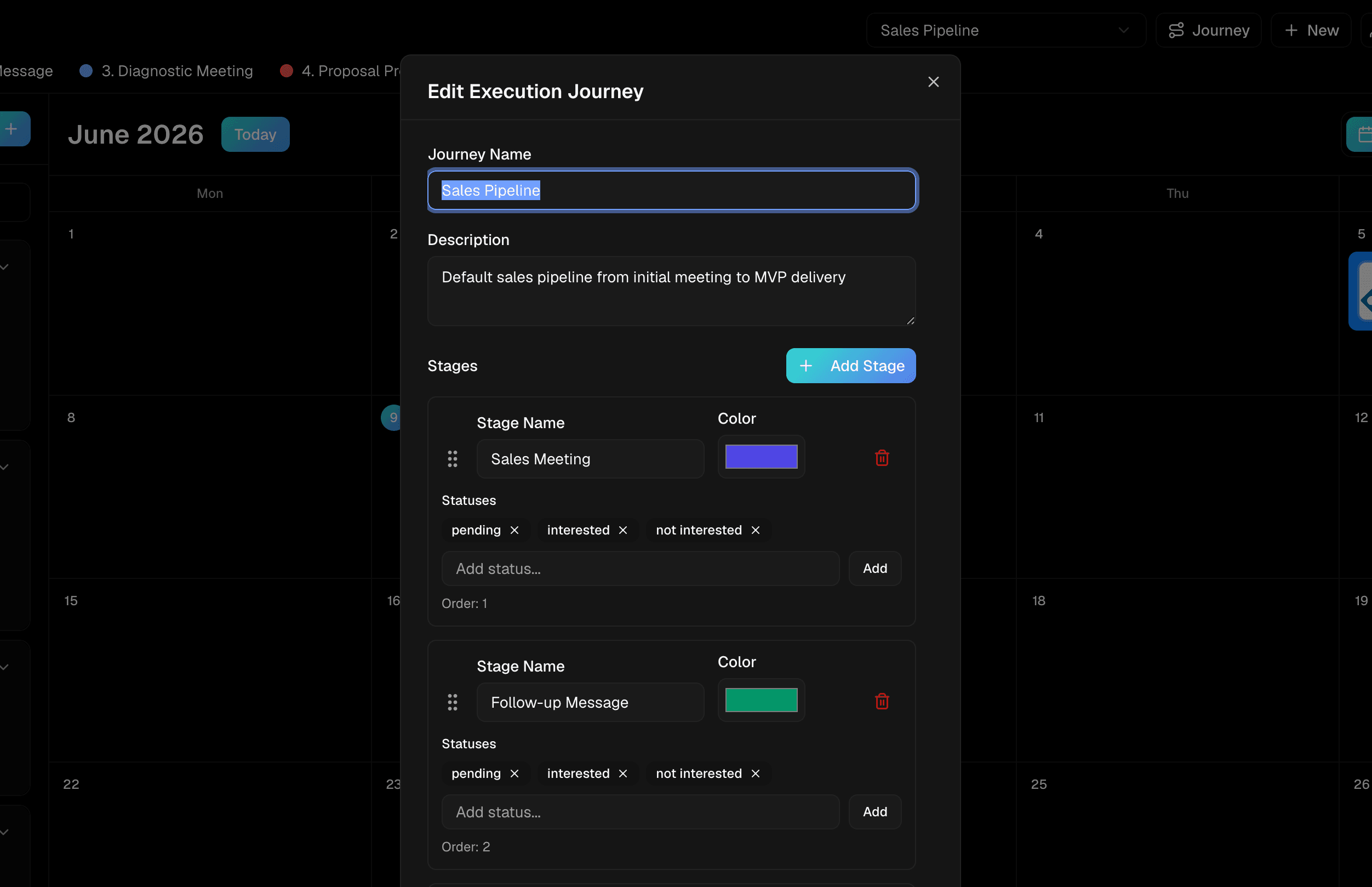
Each journey is a configurable pipeline — sales, onboarding, implementation, delivery, support — with ordered stages, custom colors and per-stage statuses. Drag stages to reorder and personalize the workflow per team.
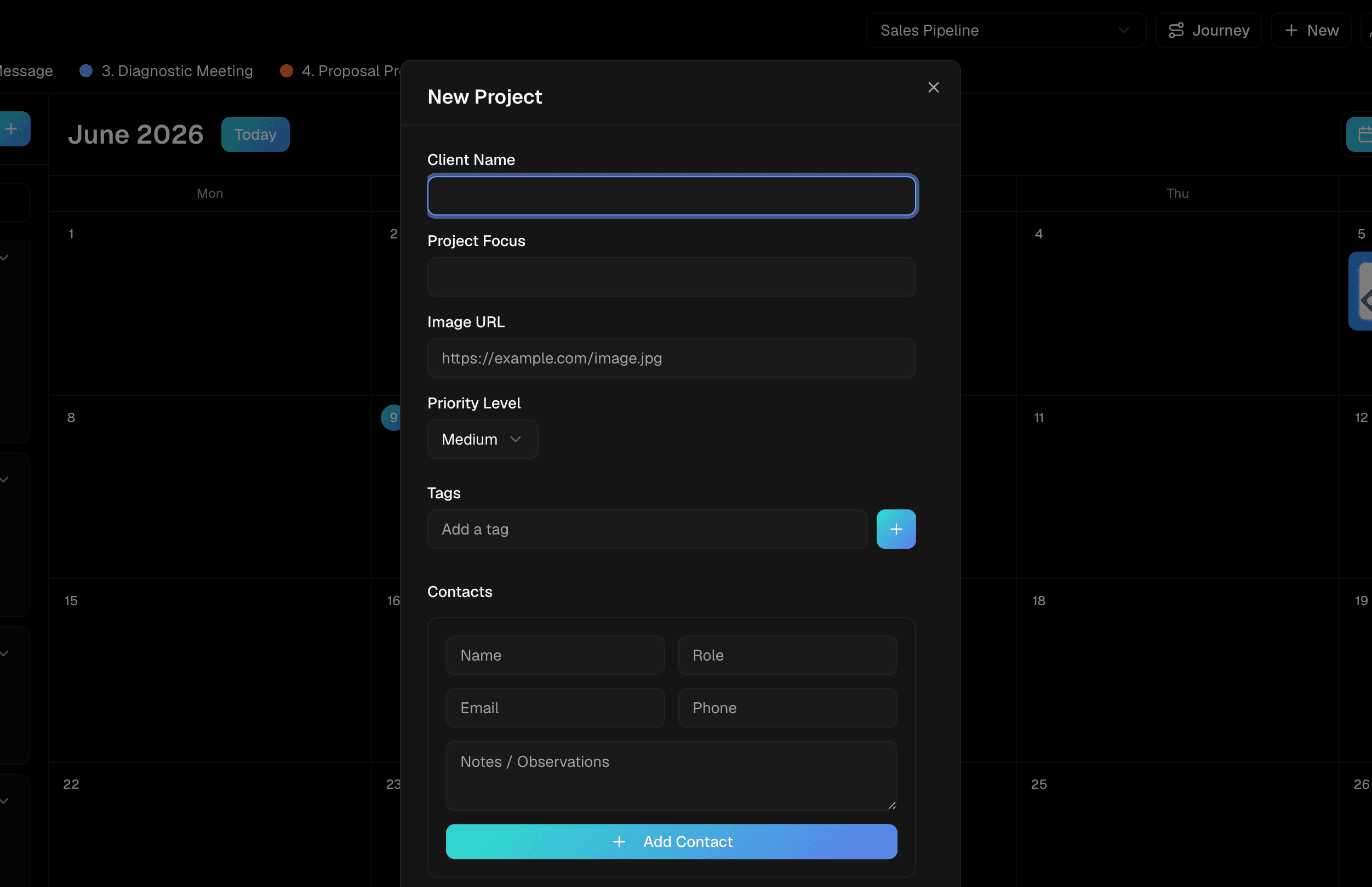
Projects carry priority, focus, tags and a contact list — name, role, email, phone, notes. Selecting a project surfaces all that context next to its events, so the team operates with full visibility on every client.
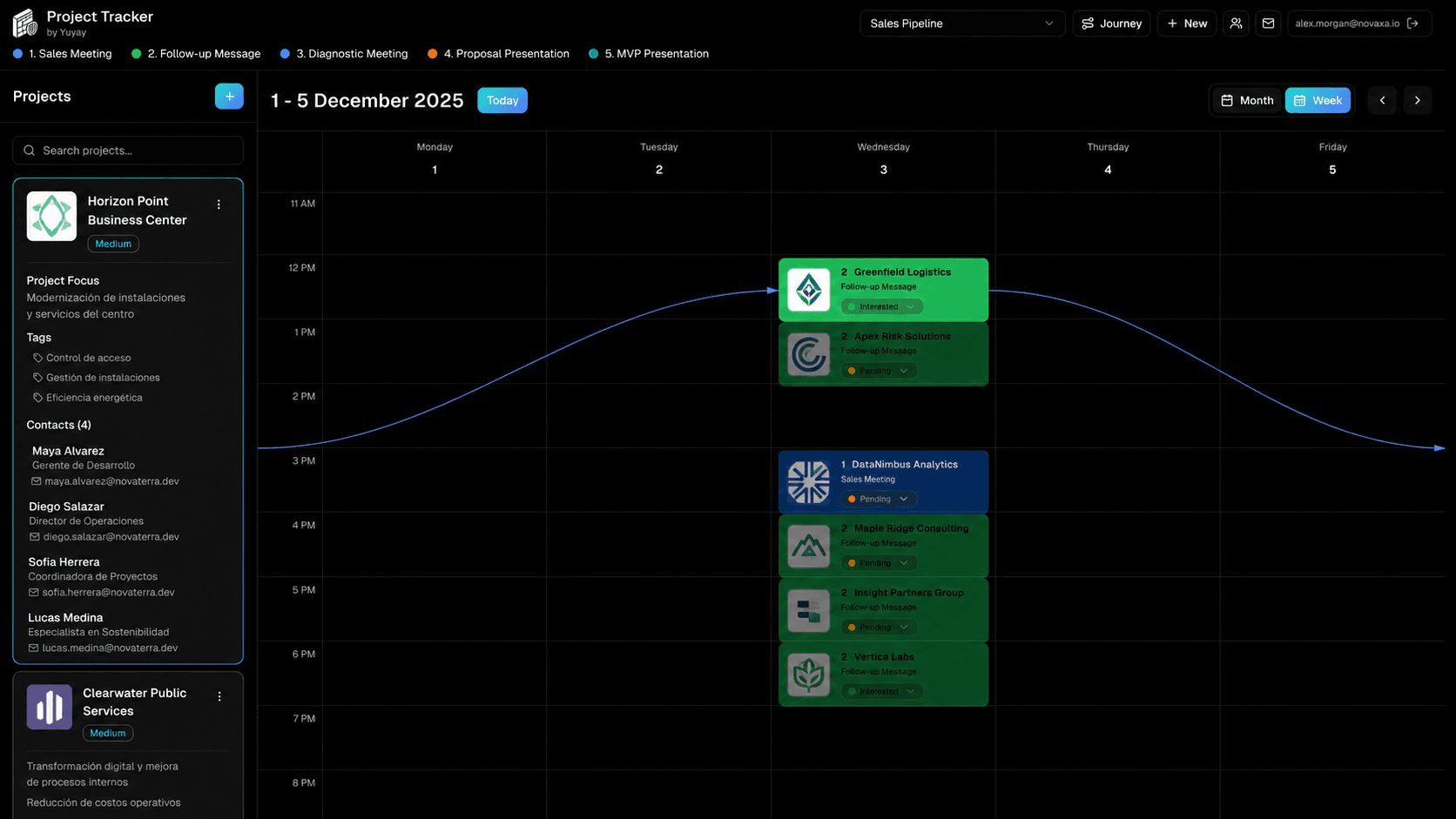
Every event is attached to a project and, optionally, to a journey and stage. When you create a new event inside a journey, the app suggests the next stage based on the existing events — so the pipeline moves forward naturally.
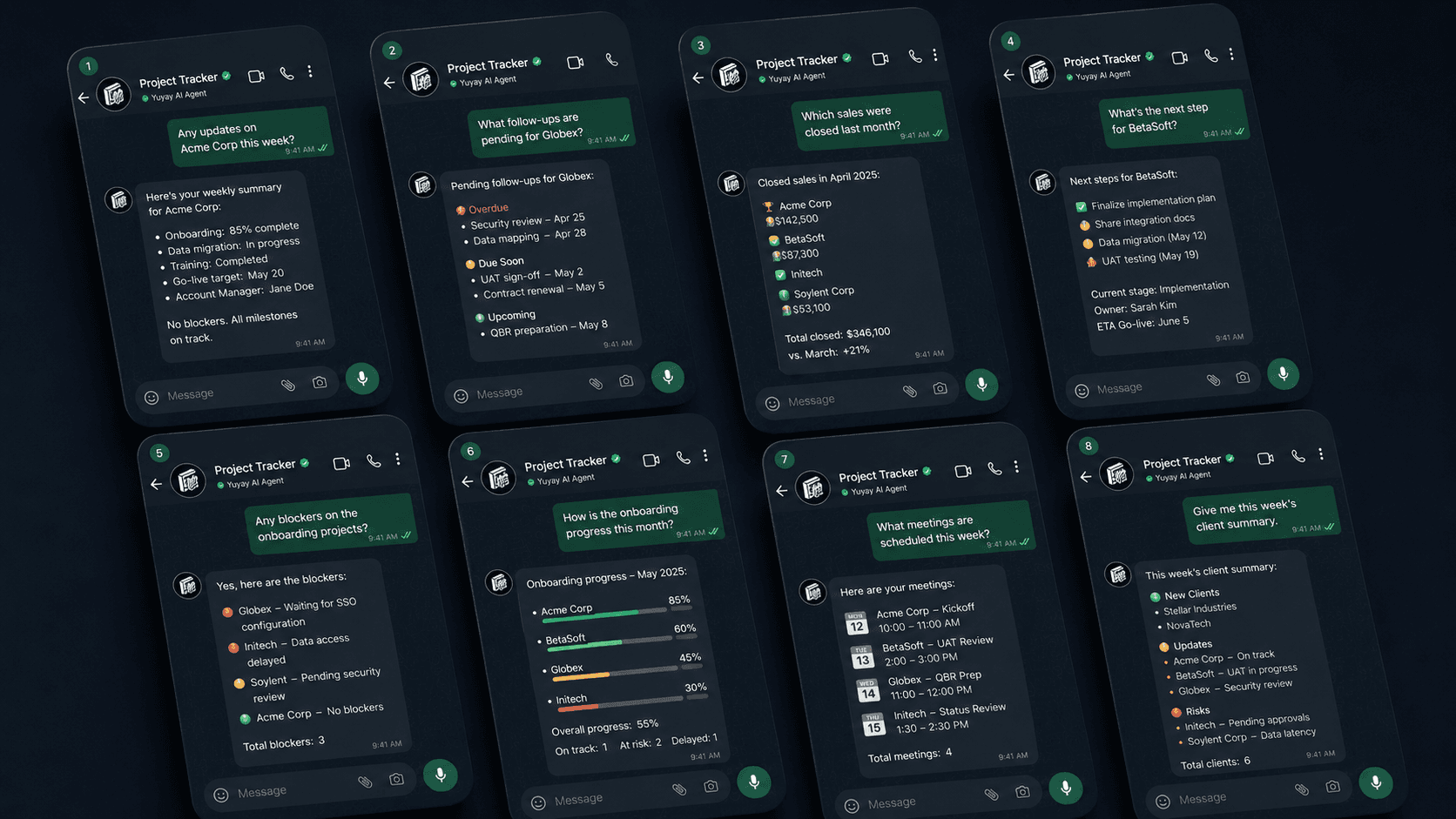
An Edge Function turns WhatsApp into a control surface: the team writes updates in natural language, the AI agent registers events against the right project. Supervisors ask for status, news, metrics or pipeline snapshots — and the agent answers from live data.
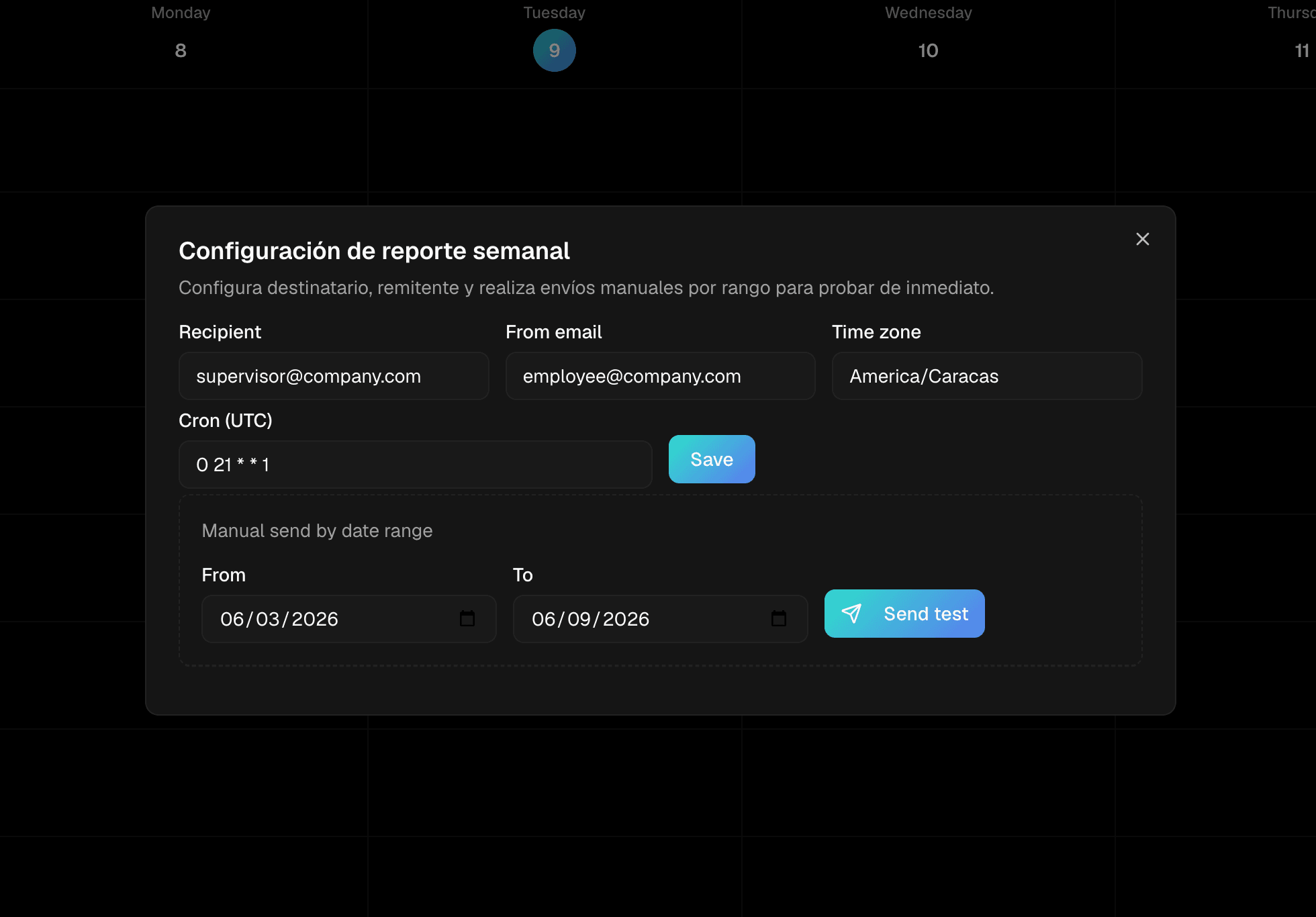
Configure recipient, sender, timezone and cron for an automated executive report — or trigger a manual send for any date range. The summary covers active projects, period events, top activity, status and stage distribution, and the next 7 days.
Five steps. Configure once, operate every day.
Create the pipeline that matches your reality — stages, colors and per-stage statuses. Reorder with drag and drop.
Register each client with priority, focus, tags and the contacts your team actually talks to.
Plan kick-offs, meetings, hand-offs and reviews on the monthly or weekly roadmap calendar.
The team reports progress where they already work; the AI agent registers each update against the right project and stage.
Ask the agent for live status, or let the weekly executive report land in your inbox automatically.
If you juggle multiple pipelines per week, this is where they belong.
Track leads through prospecting, qualification, proposal and close — with stages, owners and contact context per deal.
Coordinate kickoff, account setup, trainings and go-live on a shared roadmap, with WhatsApp updates from every owner.
Run multi-phase AI projects — discovery, design, build, rollout — with milestone tracking and executive visibility.
Manage parallel engagements with a clear stage per client, hand-offs and weekly reports for partners.
Run campaigns and content cycles for many brands; keep due dates, status and contacts in one place.
Track internal initiatives — hiring, transformation programs, OKR check-ins — with the same roadmap discipline.
Updates happen in WhatsApp. The roadmap and the reports update themselves.
-80%
Status updates land directly in the system. Senior time goes to decisions, not to writing recaps.
1
Every project, contact, stage and event lives in one roadmap calendar — searchable and queryable.
24/7
The team updates and queries projects from any phone, in natural language, anywhere.
100%
Priority, focus, contacts and history are visible at a glance — for every active project.
Request access and we will configure Project Tracking with one of your real workflows and a sample WhatsApp flow.