
YuyayYUYAY
AI-Integrated Web & Mobile

Interfaces where AI is native, not bolted on

Dashboards, mobile apps, and visual assistants with embedded copilots, predictive analytics, and seamless connections to your enterprise stack.

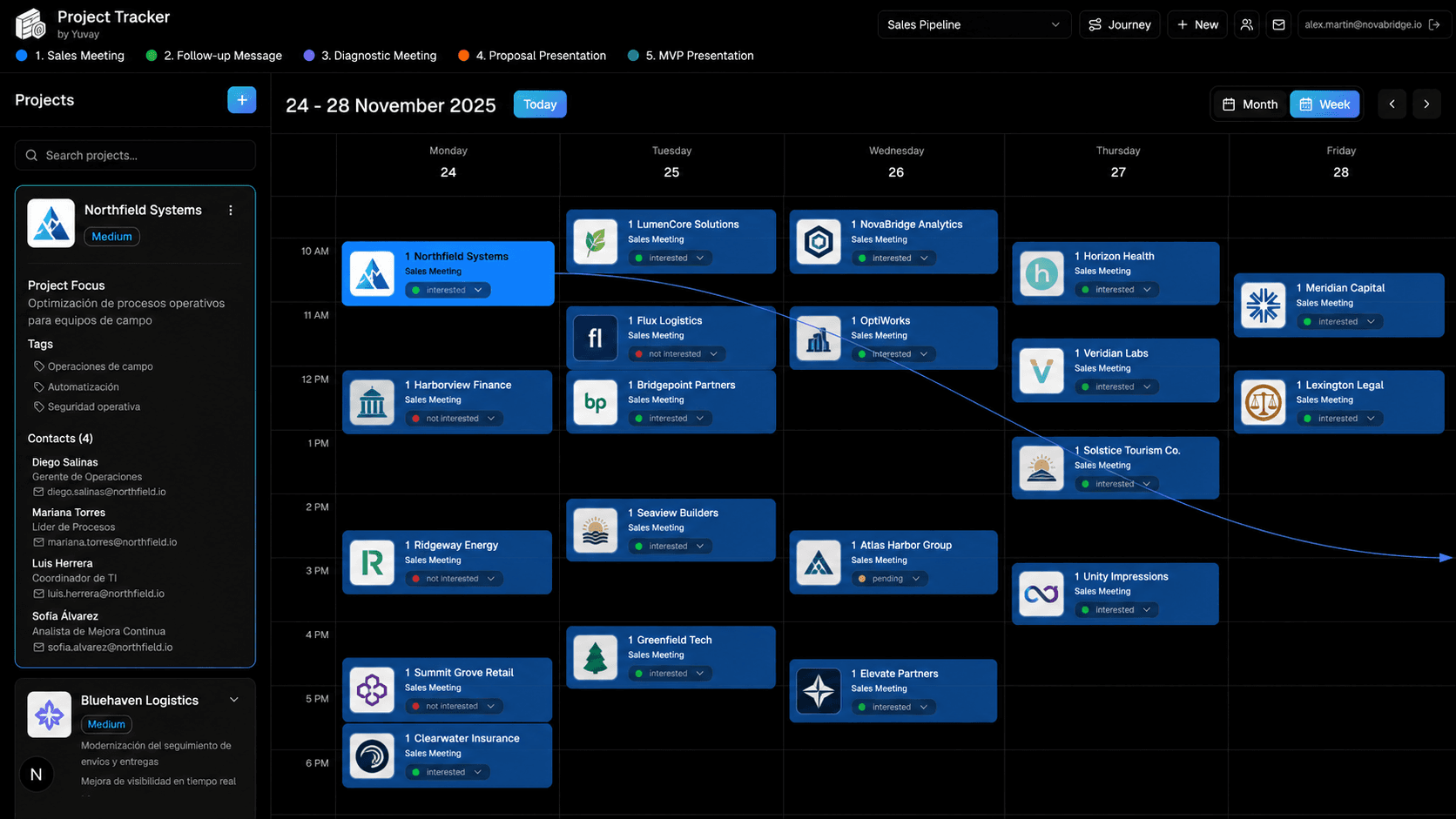
Project tracker desktop application
Overview

Product experiences users actually adopt

Adaptive UX that learns from behavior while staying on brand.

AI features fail when they're hidden in settings menus or require technical literacy to configure. We design web and mobile experiences where intelligence is part of the primary workflow — search, reporting, collaboration, and customer interaction.

Our teams ship React and native mobile applications with voice, text, and image recognition built in, connected to GPT, Vision, Speech, and your proprietary models through secure API layers.

We integrate with WhatsApp, Microsoft 365, Slack, Google Docs, and the rest of your stack so users never have to leave the tools they already use.

Capabilities

Web and app platforms — AI-powered tools

Applications & dashboards

  • Intelligent dashboards with real-time visual analytics, recommendation systems, and AI-based alerts
  • Mobile applications with integrated AI: voice, text, and image recognition with personalized assistance
  • Visual or interactive assistants with chatbots, predictive analytics, and automatic reports

Design & integration

  • Visual automation: non-technical users train or adjust AI models through intuitive interfaces
  • Integrations with APIs and AI models (GPT, Vision, Speech, etc.) via secure cloud connections
  • AI-centered UX/UI design and integration with WhatsApp, Slack, Google Docs, and enterprise platforms
Your stack

Connected to the platforms you run on

We build custom connectors when your tools aren't listed — these are the ecosystems we deploy into every day.

Don't see your stack? We build custom connectors.

How we build

Discovery → Design → Deploy

  1. Discovery

    User research, journey mapping, technical constraints review, and definition of AI touchpoints across web and mobile surfaces.

  2. Design

    Information architecture, component system, AI interaction patterns, API contracts, and accessibility requirements.

  3. Deploy

    Staged release with performance monitoring, user feedback loops, and integration health checks across connected platforms.

Ready to ship an AI-native app?

Book a strategy call to discuss your product vision, stack, and the fastest path to a working prototype.

Or email us directly at contacto@yuyay.ai